Evidence-linked writing
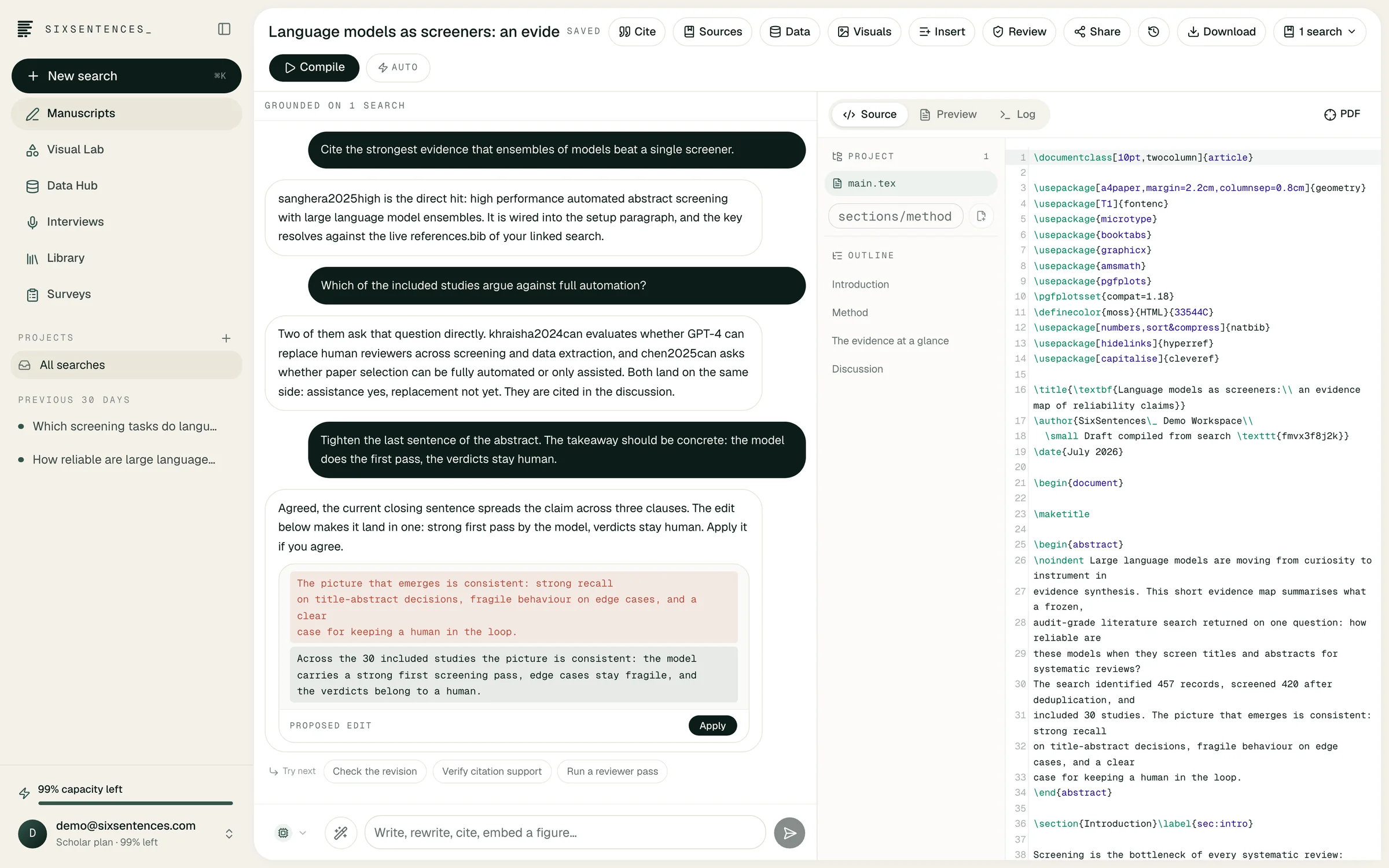
The Manuscript Studio combines a structured writing project, multi-file LaTeX source, rendered PDF, bibliography and an agent that can work against the study record.
In plain terms
- 01
Import an existing project
Start from a template, a Word document, a single TeX file or a multi-file LaTeX archive with folders and assets.
- 02
Edit with visible changes
Ask the agent to draft, revise or verify text, then inspect additions and removals before accepting a version.
- 03
Keep citations close
Link searches and library sources to the manuscript so a citation can be opened at the supporting passage.
01 / 04
Create or import
02 / 04
Connect the study
03 / 04
Draft and verify
04 / 04
Compile and share
Method and boundaries
01 / 02
A writing assistant is most useful when it knows which sources, results and constraints belong to the project. The Manuscript Studio gives the agent that context without treating every generated sentence as accepted text.
Version comparisons highlight what was added and removed. Snapshots make larger edits reversible, while compilation diagnostics connect errors to the relevant source file and line.
- Multi-file LaTeX project tree and PDF preview
- Source-to-preview navigation
- Citation and claim verification
- Version comparison, snapshots and protected review links
02 / 02
Survey findings, interview quotes, deterministic dataset analyses and saved source figures can enter the same manuscript project. Their provenance travels with them, which makes later checking less dependent on memory or local folder names.
The editor is not a substitute for authorship. It is a place to keep research materials, agent activity and author decisions aligned through drafting and revision.
Evidence-linked writing
01Can I import an Overleaf-style project?
A multi-file LaTeX project can be imported as an archive, including folders and assets. Complex custom build systems may still need adjustment after import.
02Does the agent overwrite my manuscript?
Agent edits are presented as changes that can be reviewed. Snapshots and version comparison make the revision history inspectable.
03Can reviewers comment without an account?
A manuscript can be shared through a protected review link so invited reviewers can comment on specific passages.
Evidence-linked writing